



Vendors in OneDeploy let you maintain a standard list of software and hardware suppliers that can be reused throughout the platform.
You can apply Vendors to:
- Software Packages
- Device Models
When creating a Software Package for deployment, or defining a particular model of computer, a Vendor must be selected. Setting up Vendors first helps keep your Library organised and consistent.
Viewing Vendors
To view your current Vendor list:
- In the left navigation pane, expand Definitions
- Select Vendors
The existing Vendors are displayed in a list.
Adding a New Vendor
To add a Vendor:
- Go to Definitions > Vendors
- Click the + icon in the column heading
- Enter the Vendor name
- Click the Save icon to confirm
The Vendor will now be available for selection when creating Software Packages or Device Models.

Hint: Adding Vendors While Creating Software
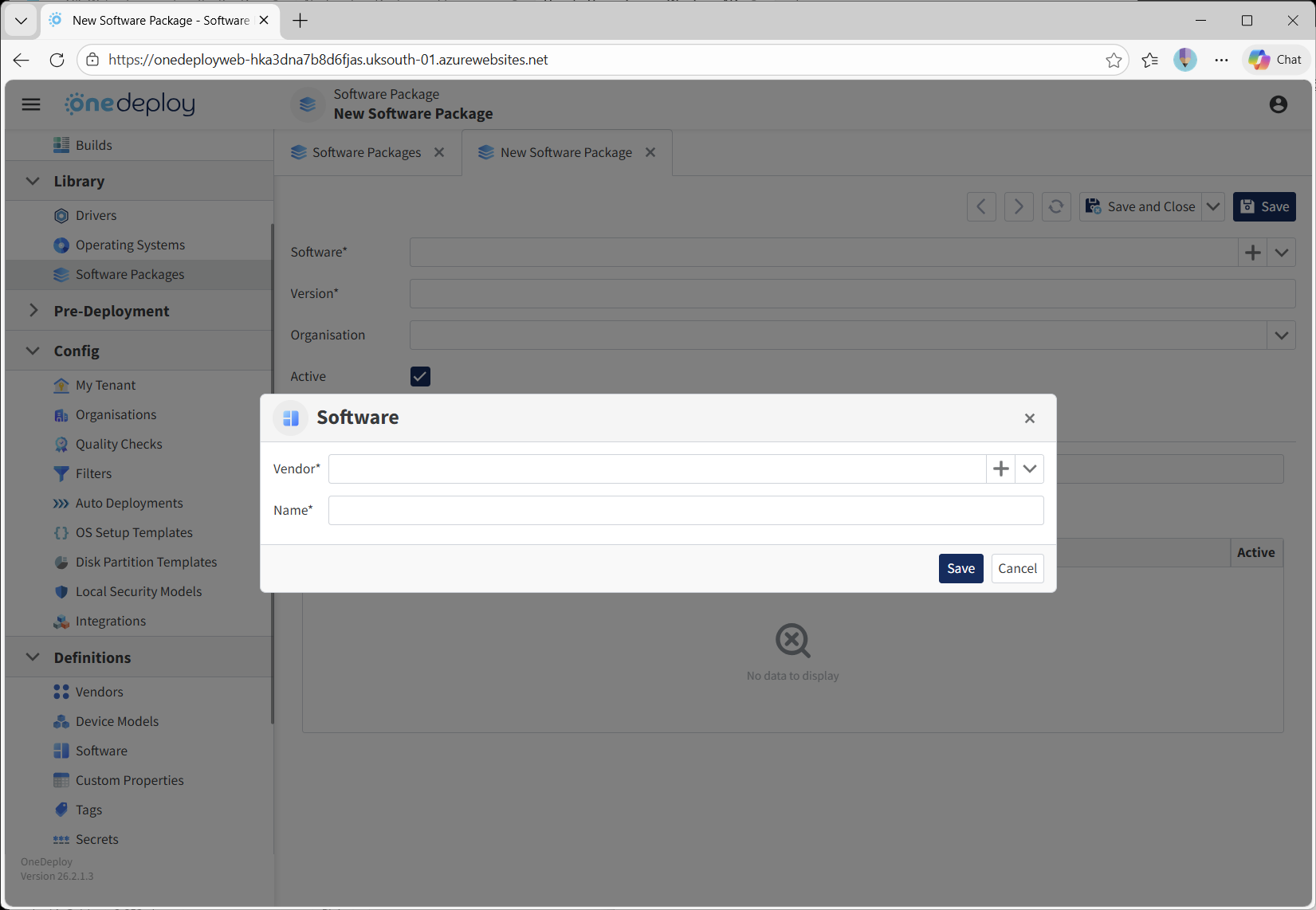
You can also create a Vendor while adding a new Software item.
- When creating Software, locate the Vendor field
- Click the + icon on the Vendor line
- Enter the Vendor details and save
Any Vendor added here is automatically included in your main Vendor list under Definitions > Vendors.
Common Questions
Do I need to create Vendors before adding Software Packages?
Yes — a Vendor must be selected when creating Software Packages, so it’s recommended to create items in your Vendor list first.
Can Vendors be reused across different items?
Yes — the same Vendor can be applied to multiple Software Packages and Device Models.
Related Articles
- Device Models
- Software
- Software Packages