



What are Secrets?
Secrets allow you to securely store sensitive configuration items used during a deployment.
Examples include:
- The username and password OneDeploy uses to connect to your Deployment Source file share
- The username and password of an account used to join workstations to a domain
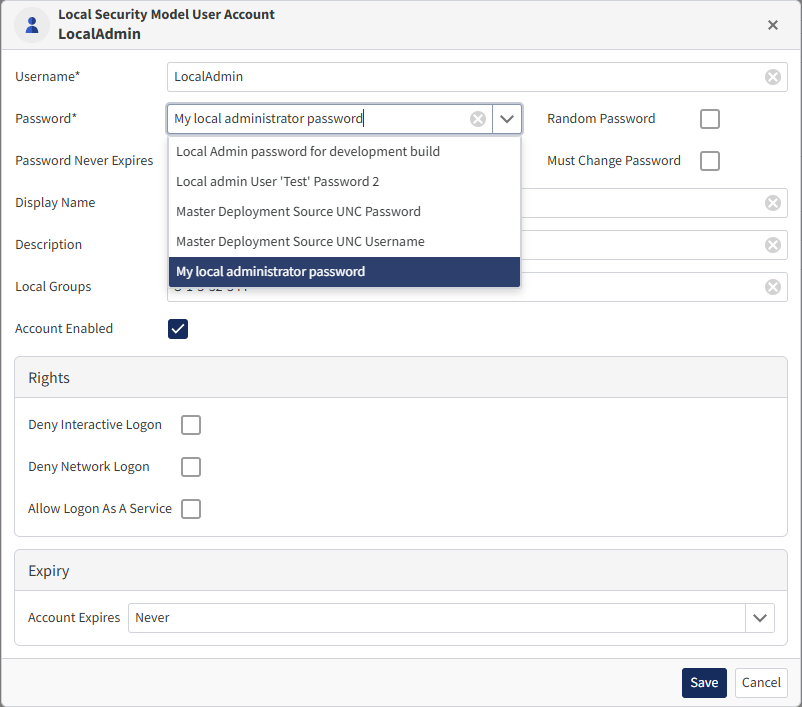
- The password of a local user account configured in a Local Security Model
Secrets are stored in encrypted form. This ensures sensitive information such as passwords is not kept in plain text files within your Deployment Source(s).
Where to Find Secrets
Navigate to:
Definitions \ Secrets
When you click this option, a summary list of all configured secrets is displayed.
 From this screen you can:
To view or edit the properties of an existing Secret, click its entry in the list.
Important: You cannot view the value of an existing Secret.
During onboarding, two Secrets are created automatically:
-
Deployment Source UNC Username
-
Deployment Source UNC Password
These are used by OneDeploy to connect to your Deployment Source in Windows PE and later in Windows during Software Package installations.
Adding a New Secret
-
Go to Definitions \ Secrets
-
Click New
-
Enter the following:
-
- Name – This is how the Secret will appear in other parts of the OneDeploy interface
- Organisation (Multi-tenant Mode only) – Select which Organisation the Secret applies to. Leave blank to allow use across all customers
- Description (optional)
-
Click Save
 After saving, a Set Value button will appear.
-
Click Set Value and type the value of your Secret.
-
Click Next
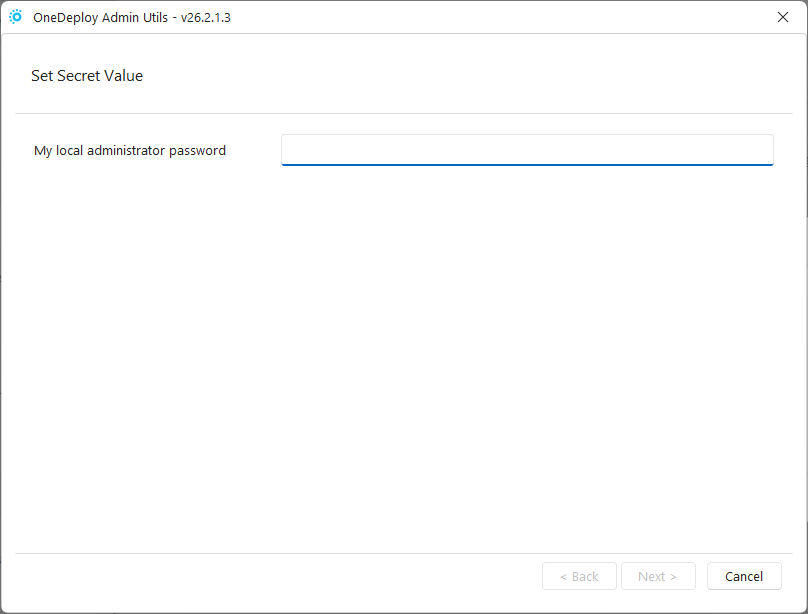
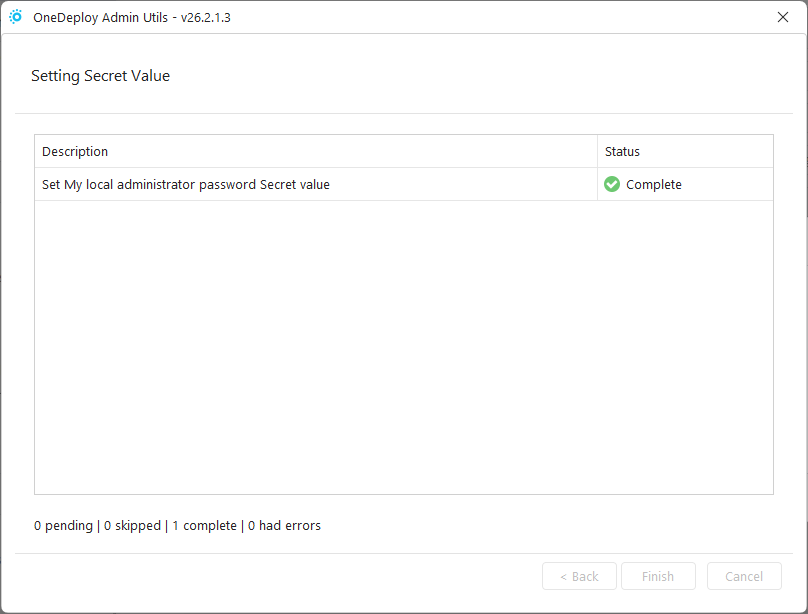 The Secret value is encrypted and written directly to your Deployment Source file share.
Once complete, the Secret is available for selection elsewhere in OneDeploy, for example in a Local Security Model:
Updating a Secret
You cannot view the current value of a Secret.
To update/replace it:
-
Open the Secret
-
Click Set Value
-
Enter the new value
The updated value will be encrypted and written to your Deployment Source.
Removing a Secret
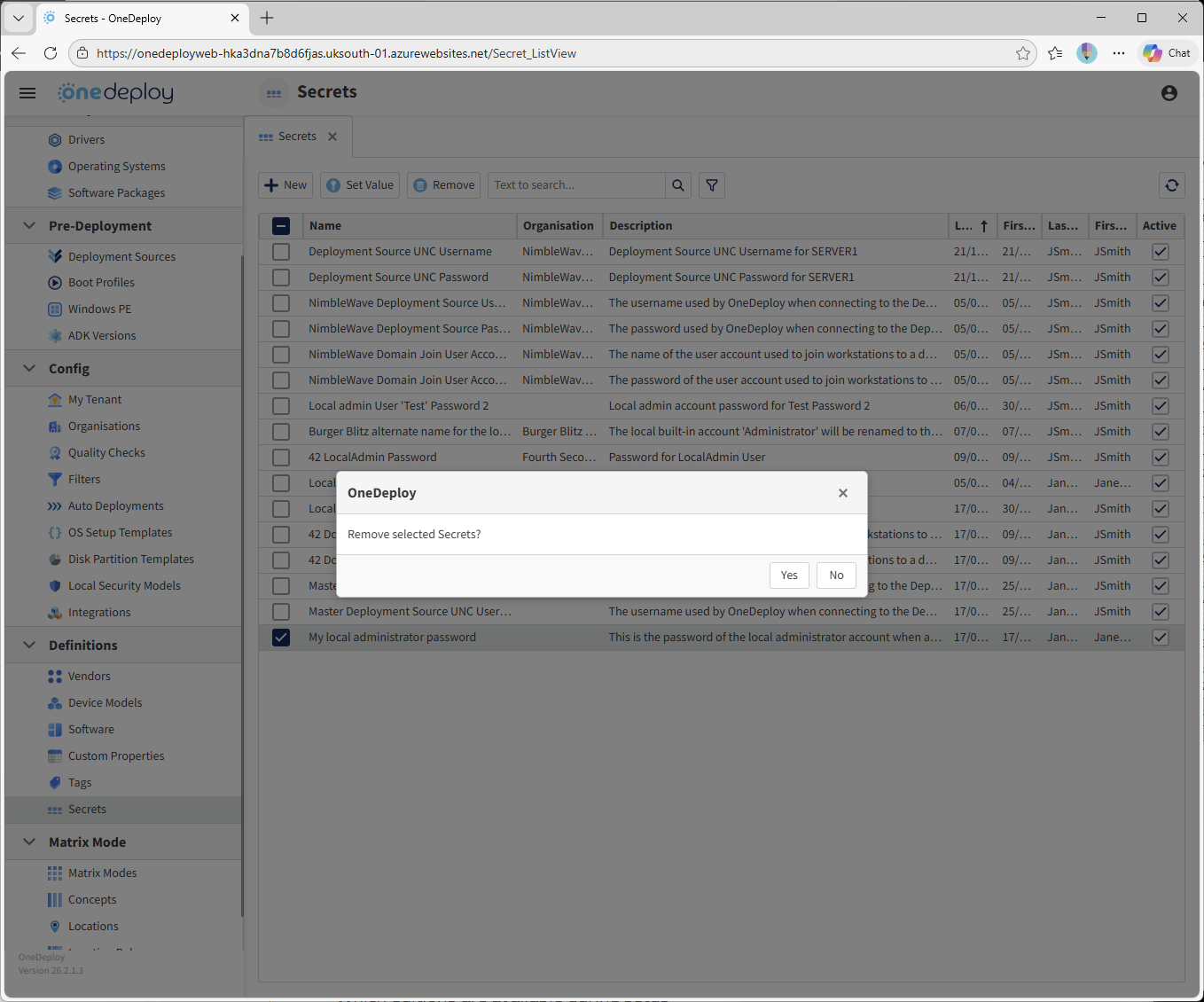
To remove one or more Secrets:
-
Tick the checkbox(es) next to the Secret(s)
-
Click Remove
-
Confirm the action
Where Are Secrets Stored?
Secrets are stored in encrypted form within files in your Deployment Source share.
When you create or update a Secret, the OneDeploy AdminUtils program writes the encrypted file directly to your Deployment Source.
Are Secrets Stored in the OneDeploy WebApp?
No. Secrets are not stored in the OneDeploy cloud.
They exist locally within your environment. OneDeploy (the company) does not see or store your Secret values. When you create or update a Secret, the AdminUtils tool writes the encrypted Secret file directly to your Deployment Source file share.
Security Considerations
Secrets are encrypted using a robust algorithm and are crafted to be unique to each OneDeploy tenancy. This means:
- An encrypted Secret file from one customer cannot be used in another tenancy
- Additional parameters are used in the encryption process
For security reasons, the exact method is not publicly documented. If further technical details are required for compliance purposes, please contact OneDeploy.
Although the encryption methodology is considered secure, customers should use good security practices when creating accounts for use with Secrets.
For example:
- Use dedicated service accounts
- Assign only the minimum required permissions
- Avoid storing very high privilege accounts such as Global Admin or Domain Administrator credentials
Important: Application Steps Are Not Secrets
Application Steps such as:
- CMD
- Registry
- PowerShell
are not stored as Secrets.
These steps are stored in plain text within your Deployment Source share.
Example:

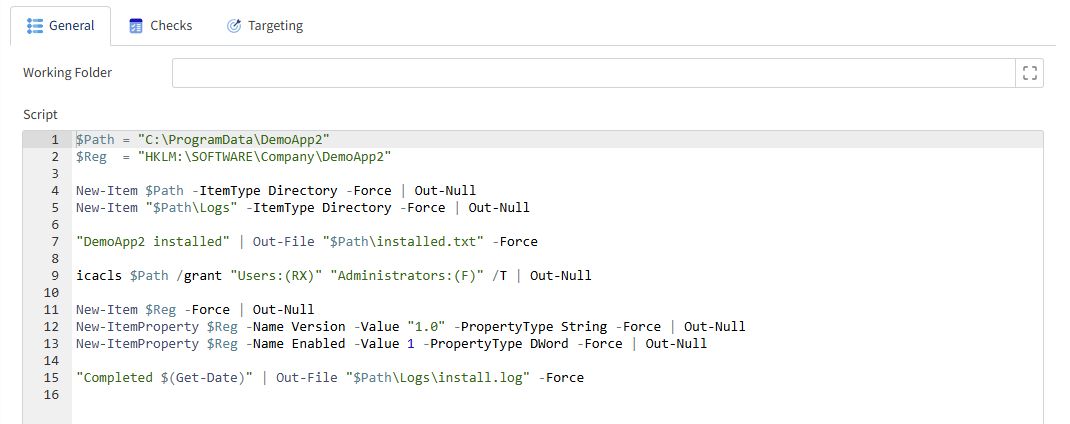
The script content is viewable in plain text in the Deployment Source share:

Do not store sensitive information (such as passwords) directly inside CMD, Registry or PowerShell Application Steps.
Common Questions
Can I view the value of an existing Secret?
No. You can only replace a Secret with a new value. The existing value cannot be viewed. Ensure you securely record any credentials you may need in the future.
I really need the value of a Secret. Can OneDeploy decrypt it for me?
No. OneDeploy does not process requests to decrypt Secrets, even if the encrypted file is provided.
How secure are Secrets?
Secrets are encrypted using a strong, tenancy-specific method and written locally to your Deployment Source. They are not stored in the OneDeploy cloud.
However, you should still follow best practices:
- Use least-privilege accounts
- Avoid storing highly privileged credentials
- Maintain your own internal credential management procedures
Related Articles
- Deployment Sources
- Local Security Models
- Software Packages