



Overview
The My Tenant section provides administrative controls for your OneDeploy environment.
From this area you can:
- Publish your OneDeploy configuration to your Deployment Source(s)
- Review a list of previous publish events
- Set the default Time Zone, Language and Locale for the tenant
- Review the current status of your OneDeploy licence
- View or manage OneDeploy WebApp user accounts for your tenancy
- View the version status of various OneDeploy components
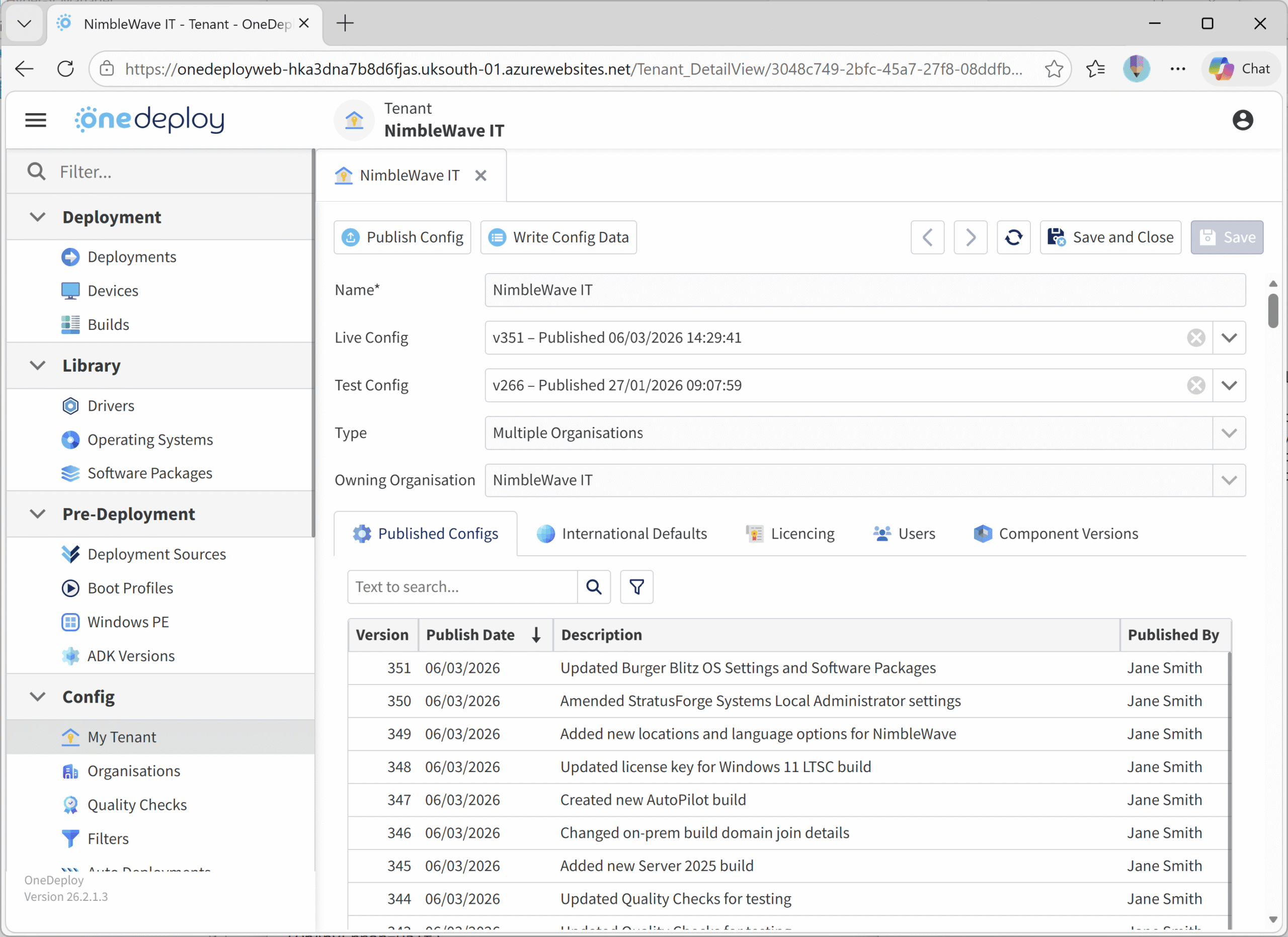
Publish Config
The Publish Config button is used to make configuration changes created in the OneDeploy WebApp available to your Deployment Source(s).
Why publishing is required
When you create or modify builds and other configuration items in the OneDeploy WebApp, these changes exist in the OneDeploy cloud configuration.
To make those changes usable during deployments, they must be written to your Deployment Source file share.
In OneDeploy, this process is called Publishing.
Until you publish, any changes made in the WebApp will not be reflected in your Deployment Source.
Example workflow
If you create a new build and want to deploy a device to it, the sequence is:
- Create the build in the OneDeploy WebApp
- Click Publish Config in Config \ My Tenant
- The new build will appear the next time a device PXE boots or USB boots to the Deployment Source
What Happens During a Publish?
During a publish event, configuration data stored in the OneDeploy cloud is written to the file system of your Deployment Source file share.
This allows the deployment environment to read and use the updated configuration when building devices.
What Information Is Included in a Publish?
The following configuration data is written to the Deployment Source:
- A list of builds, including OS and language selection
- OOBE, AutoPilot and Domain Join settings
- Windows product keys
- Lists of Software Packages assigned to each build
- The installation steps for Software Packages and DriverApps
- OS Setup Templates and Disk Partition Templates
- Quality Check definitions
- A list of Deployment Sources
- A list of organisations and locations
What Is not Included in a Publish?
Some items are not written during publishing because they already exist locally or are intentionally excluded.
The following are not included:
-
Library items such as Operating Systems, Drivers and Software Package installation media. (these already exist in the Deployment Source)
-
Disk images of builds. (OneDeploy builds are instruction-based, not image-based)
-
Sensitive information stored in Secrets. (Secrets are not stored in the OneDeploy cloud and therefore cannot be included in the publish process)
How Long Does Publishing Take?
Publishing normally takes only a few seconds.
This is because OneDeploy deployments are instruction-based, rather than static disk images.
The publish process writes only configuration instructions rather than large files.
For example increasing from 1 build to 20 builds may only increase the publish size by a few kilobytes.
When Do I Need to Publish?
You should Publish when you have:
- Changed the properties of one or more builds
- Created or updated a Software Package or DriverApp
- Received notification from OneDeploy that a product update is available for your local components
Publishing ensures these changes become available to deployment environments.
When You Do NOT Need to Publish
You do not need to publish if you have:
- Made no changes since the last publish
- Added new items to your library that are not yet used by builds
(for example Operating Systems, Software Packages or DriverApps) - Added new INF-based drivers to the Driver library
- Deleted unused library items that are not referenced by any builds
- Made changes that you do not intend to use yet
Publishing History
When performing a publish, you can optionally enter a description of the change.
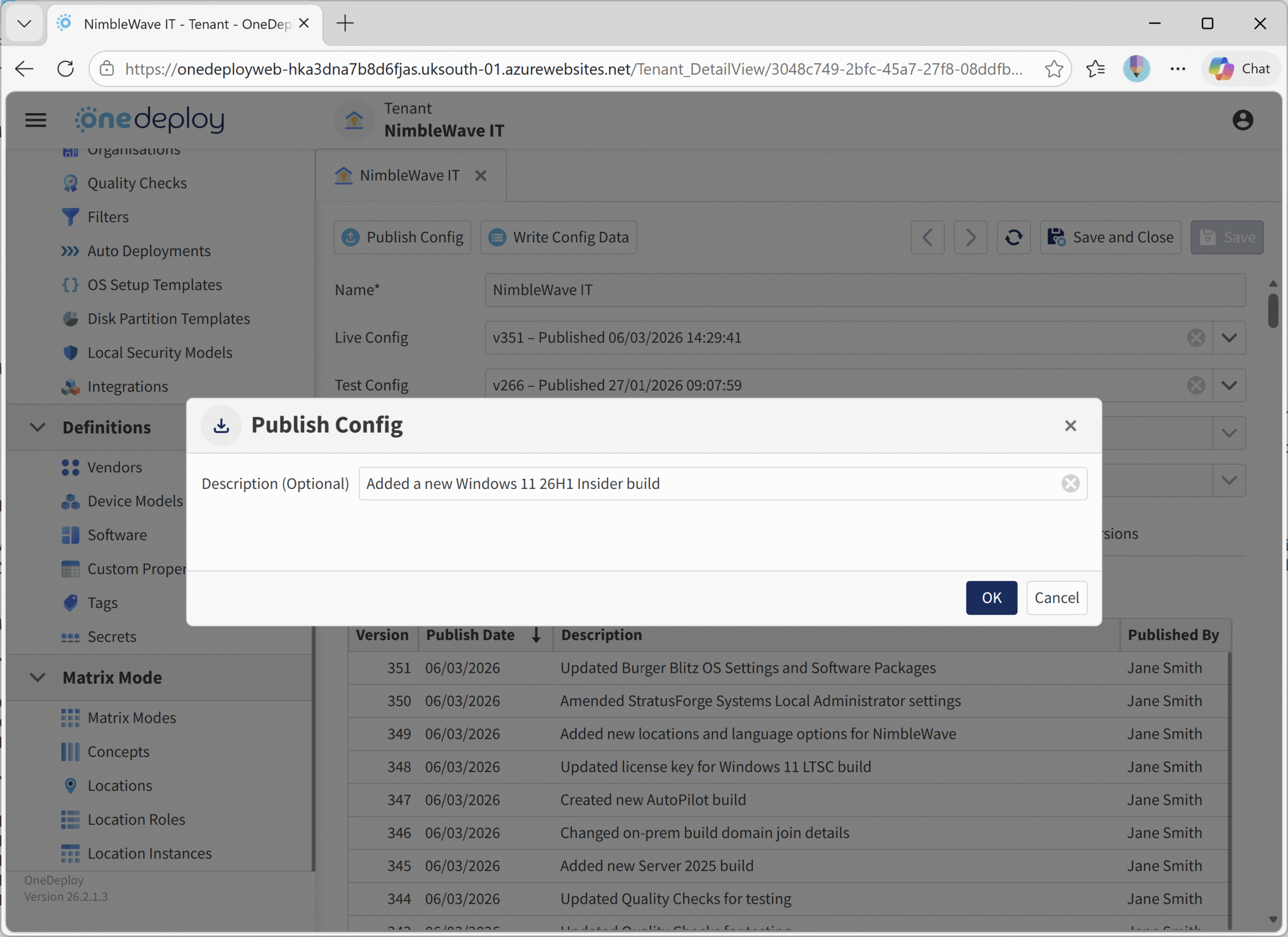
This description is stored with the publish event and displayed in the Publish History list.

The history table shows:
- The version number of the publish
- The publish date
- The description entered during publishing
- The OneDeploy user who performed the publish
Although the description is optional, providing meaningful notes can help significantly during troubleshooting or change tracking.
Common Questions
Do I need to publish every time I make a change?
Only if the change needs to be available during deployments.
Changes remain in the WebApp configuration until they are published to the Deployment Source.
Will publishing copy operating systems or software packages again?
No. Library content such as operating systems, drivers and installation media already exists in the Deployment Source and is not transferred during publishing.
Are Secrets included in a publish?
No. Secrets are never stored in the OneDeploy cloud and therefore cannot be included in the publish process. They remain stored locally in encrypted form within your Deployment Source.
Related Articles
- Deployment Sources
- Builds
- Software Packages
- Secrets
- Boot Profiles