



Overview
Note: Depending on your OneDeploy licence, this section may not appear or may be restricted to a single Organisation.
The Organisations section allows you to create and manage multiple organisations within a single OneDeploy tenancy.
This feature is commonly used by Managed Service Providers (MSPs) or organisations that manage deployments for multiple customers while keeping configuration and deployment content separated.
Although sometimes described as multi-tenant, OneDeploy terminology refers to this as:
- One Tenant (typically the MSP or parent Organisation)
- Multiple Organisations (the MSP’s customers, including the MSP itself)
This structure allows a single OneDeploy tenant to securely manage deployments across multiple organisations while keeping their environments logically separated.
What Organisations Are Used For
You would create multiple organisations if you want to:
- Create builds specific to an Organisation
- Create Deployment Sources specific to an Organisation
(so they only see and deploy builds assigned to them) - Create Software Packages that are specific to an Organisation
- Create OneDeploy user accounts for customer administrators
- Create locations specific to that Organisation
- Configure customer-specific settings such as:
- International options
- Quality Checks
- Matrix Mode
- AutoPilot settings
- Third-party integrations
This allows a single OneDeploy tenant to manage deployments across multiple customers while keeping each customer’s configuration separate.
Viewing Organisations
To view the organisations configured in your OneDeploy tenant:
- Navigate to Config \ Organisations
- A list of organisations configured in your tenant will be displayed.
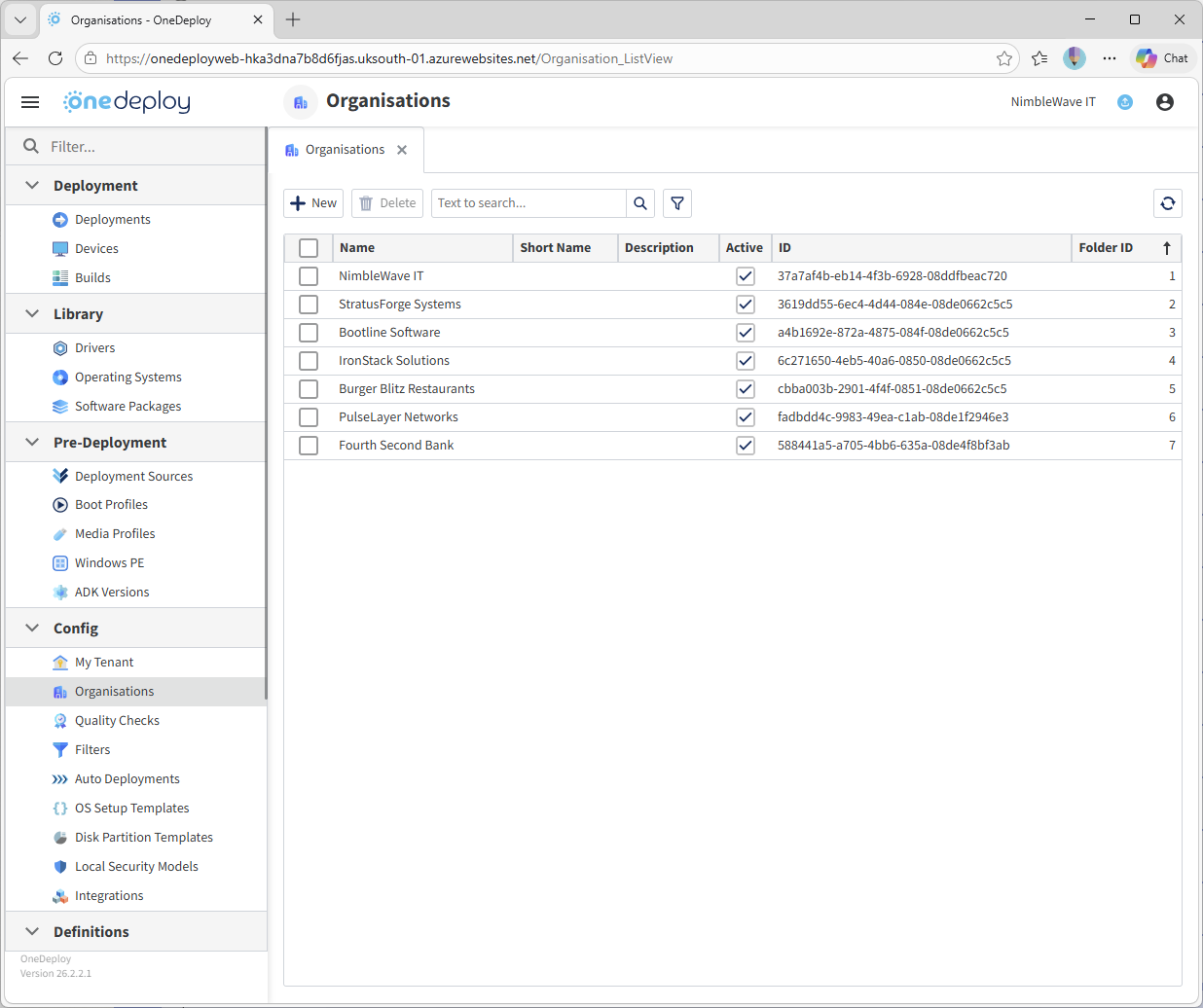
From this screen you can:
- Create new organisations
- View or edit existing organisations
- Delete organisations
Creating a New Organisation
To create a new Organisation:
- Navigate to Config \ Organisations
- Click New
- Enter a name for the Organisation and configure the Organisation’s settings
The available configuration options are described in the Organisations Settings documentation.
Once created, the Organisation becomes available for use across OneDeploy when assigning configuration items such as builds, locations and software packages.
Viewing or Editing an Organisation
To view or edit an Organisation:
- Navigate to Config \ Organisations
- Click the Organisation entry in the list
This opens the Organisation’s settings where its properties can be reviewed or modified.
Deleting an Organisation
To delete one or more organisations:
- Tick the checkbox next to the Organisation(s)
- Click Delete
⚠ Important:
Deleting an Organisation will also delete all builds associated with that Organisation.
This action cannot be undone, so use this feature with caution.
Deactivating an Organisation Instead of Deleting
Before deleting an Organisation, you may wish to mark it as Inactive instead.
Setting an Organisation to Inactive will:
- Hide the Organisation from deployment screens
- Hide builds associated with that Organisation
- Preserve configuration data if the Organisation may be required again in the future
This is often a safer option before permanently deleting the Organisation.
Common Questions
Do I need to use Organisations if I only manage one environment?
No. If you are managing deployments for a single Organisation, you can operate entirely within a single Organisation configuration, and the Organisations section may not be visible depending on your licence, or may be shown with just one Organisation.
Are Organisations the same as Tenants?
No. A Tenant represents the top-level OneDeploy environment.
Within that tenant, you can create multiple Organisations to separate configuration for different customers or departments.
Can builds be shared between organisations?
No. Builds are typically assigned to a specific Organisation to ensure that customers only see and deploy builds intended for them.
Can I deploy builds for multiple organisations from the same Deployment Source?
Yes. A Master Deployment Source or a Deployment Source configured for multiple organisations can be used to deploy builds belonging to any Organisation within the tenant.
This means that an MSP engineer using a central deployment environment can deploy devices for any customer Organisation without needing separate infrastructure for each one.
Do I need a separate Deployment Source for every Organisation?
No. While you can create Deployment Sources dedicated to individual organisations, it is not required.
Many MSPs operate using a central Master Deployment Source that can access builds from all organisations within the tenant. This allows engineers to perform deployments for multiple customers from a single deployment environment.
Organisation-specific Deployment Sources are typically used when customers require isolated deployment environments, for example when a Deployment Source is located on the customer’s own network.
You can also mix and match Deployment Source configurations—for example, an MSP may operate one or more central Deployment Sources that can deploy builds for any Organisation, while individual customers have their own Deployment Sources filtered to display only their specific builds.
It may be considered best practice to configure customer-specific Deployment Sources for customers, as this prevents builds belonging to other customers from appearing in deployment menus—something that can create confusion and may not present well in a managed service provider environment.
Related Articles
- My Tenant
- Deployment Sources
- Builds
- Locations
- Software Packages