



Deployment Sources define where OneDeploy stores and retrieves all files required to perform a device build, including operating systems, drivers, software packages, and deployment components.
During onboarding, OneDeploy creates a Master Deployment Source by default. You can create additional Deployment Sources and arrange them in a hierarchy to support distributed or multi-site environments.
What is a Deployment Source?
A Deployment Source is a file share that contains the content required to deploy devices using OneDeploy.
You can create multiple Deployment Sources, arranged in a parent-child hierarchy. This allows you to:
- Centralise content in a Master Deployment Source
- Use Downstream Deployment Sources for remote sites
- Optimise network usage and deployment performance
Viewing Deployment Sources
To view Deployment Sources:
- In the navigation pane, expand Pre-Deployment
- Click Deployment Sources
The Deployment Sources list is displayed in a hierarchical view.
A default installation contains a single Master Deployment Source.

Updating and Provisioning the Master Deployment Source
From the Deployment Sources list, you can perform actions on the Master Deployment Source by selecting the checkbox to the left of it.
Update
Update refreshes the OneDeploy run-time deployment components.
These components include the OneDeploy-branded executables that run:
- In Windows PE
- In Windows during a device build
Updates are downloaded from the OneDeploy cloud and copied into the Master Deployment Source.
Provision
Provision is a one-time operation performed during onboarding.
It prepares a newly created Master Deployment Source for first use and only needs to be run once.
Important notes:
- Update and Provision are only valid for the Master Deployment Source
- These options are disabled for Downstream Deployment Sources
Viewing and editing a Deployment Source
To view or edit a Deployment Source, click its entry in the list.
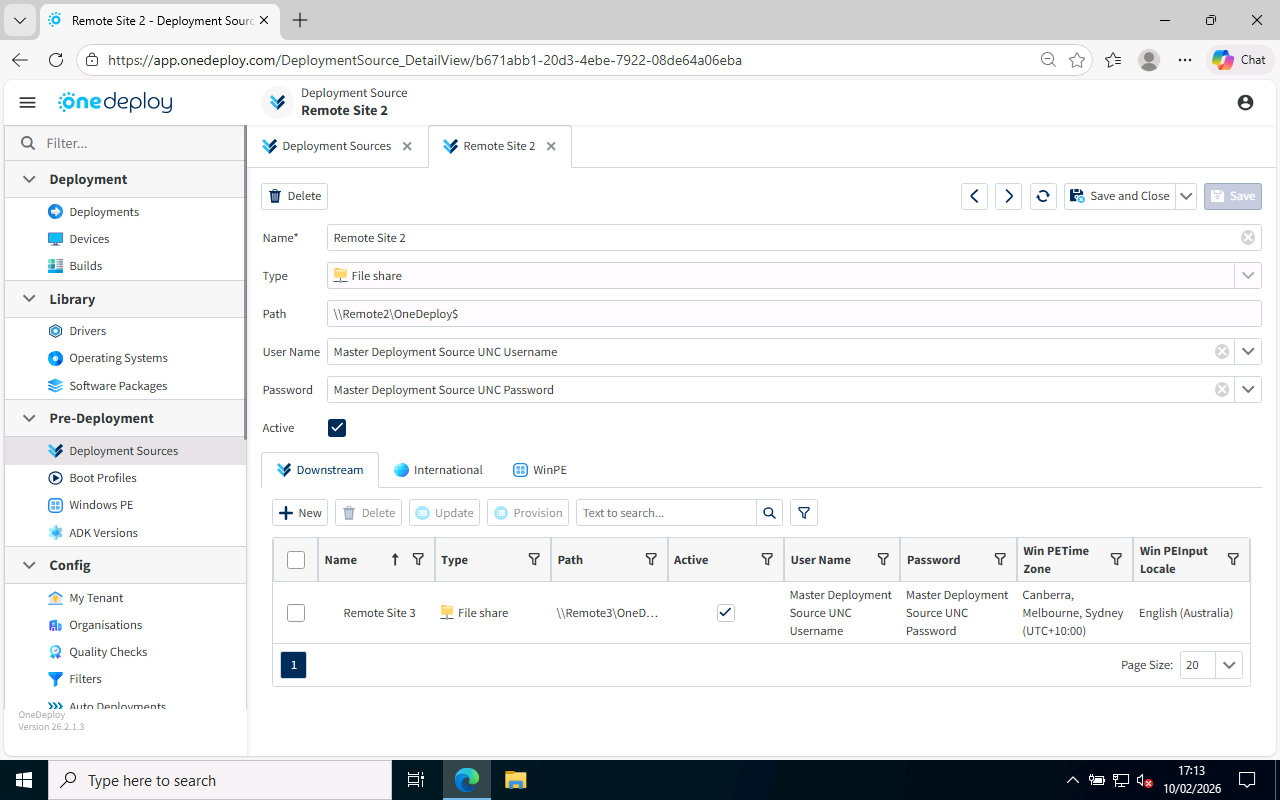
From the Deployment Source details screen, you can:
- Rename the Deployment Source
- Change the username and password used to access the file share
- Mark the Deployment Source as Active or Inactive
Deployment Source tabs
The lower section of the Deployment Source screen contains three tabs.
Downstream
The Downstream tab allows you to:
- View downstream Deployment Sources
- Create new or edit existing downstream Deployment Sources
- Delete downstream Deployment Sources
All actions are performed relative to the Deployment Source currently being viewed.
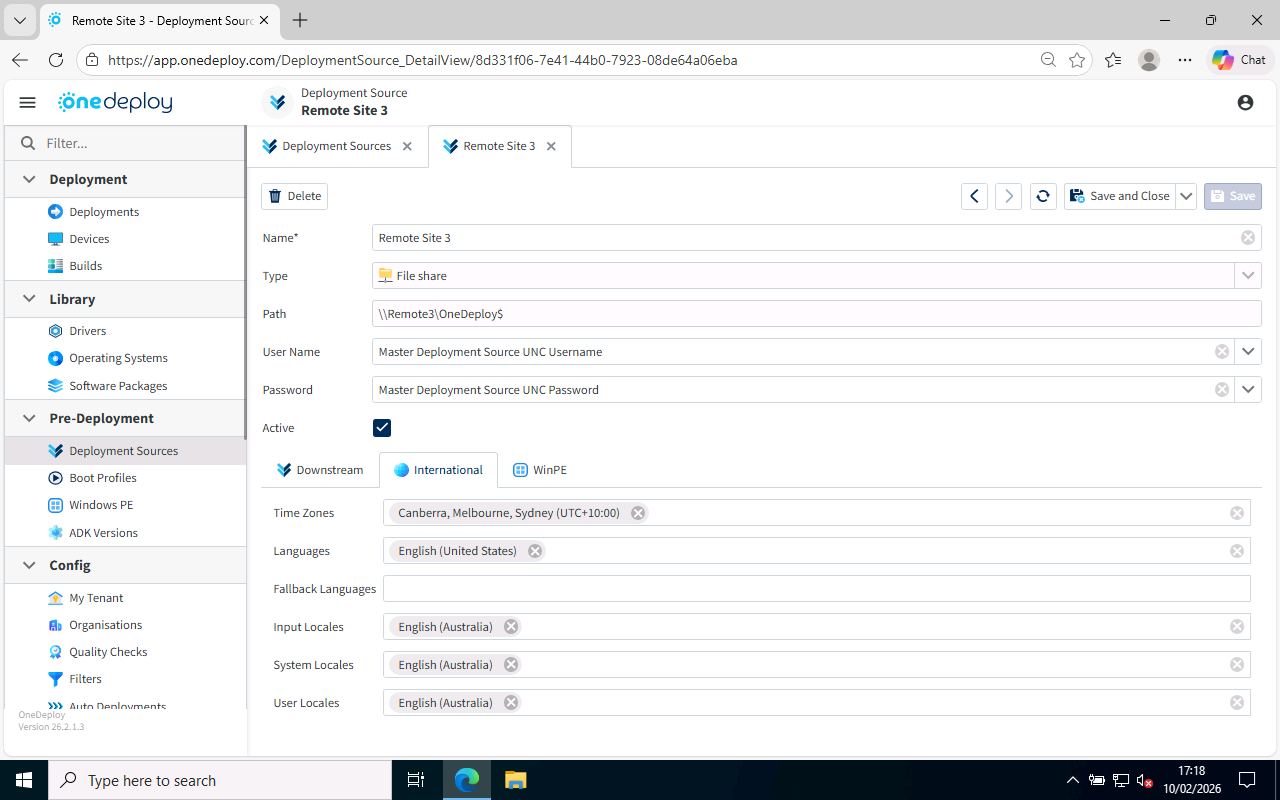
International
The International tab allows you to override tenancy-wide language and regional defaults.
These settings become the default language and locale selections for:
- Builds originating from this Deployment Source
- Windows PE used by this Deployment Source
WinPE
The WinPE tab is used to control Windows PE behaviour specific to this Deployment Source.
This allows Deployment Source–specific control without affecting other sources.
Important considerations
- The UNC path of a Deployment Source cannot be changed
- If the file share location changes, create a new Deployment Source and remove the old one
Common Questions
Can I have multiple Deployment Sources?
Yes. You can create as many Deployment Sources as required and organise them in a hierarchy.
Are there any licensing implications for adding Deployment Sources?
No. There are no licensing limits or additional costs associated with creating Deployment Sources.
Why are Update and Provision disabled for some sources?
These actions are only applicable to the Master Deployment Source and are not valid for Downstream Deployment Sources.
Related Articles
- Boot Profiles
- Windows PE
- ADK Versions